October 21, 2026 · 9 min read · Takeovers
Your smart home never worked. Here is the order we fix it in.
It is rarely broken everywhere. The order we fix an inherited Control4, Crestron or Lutron system in, and what stays.
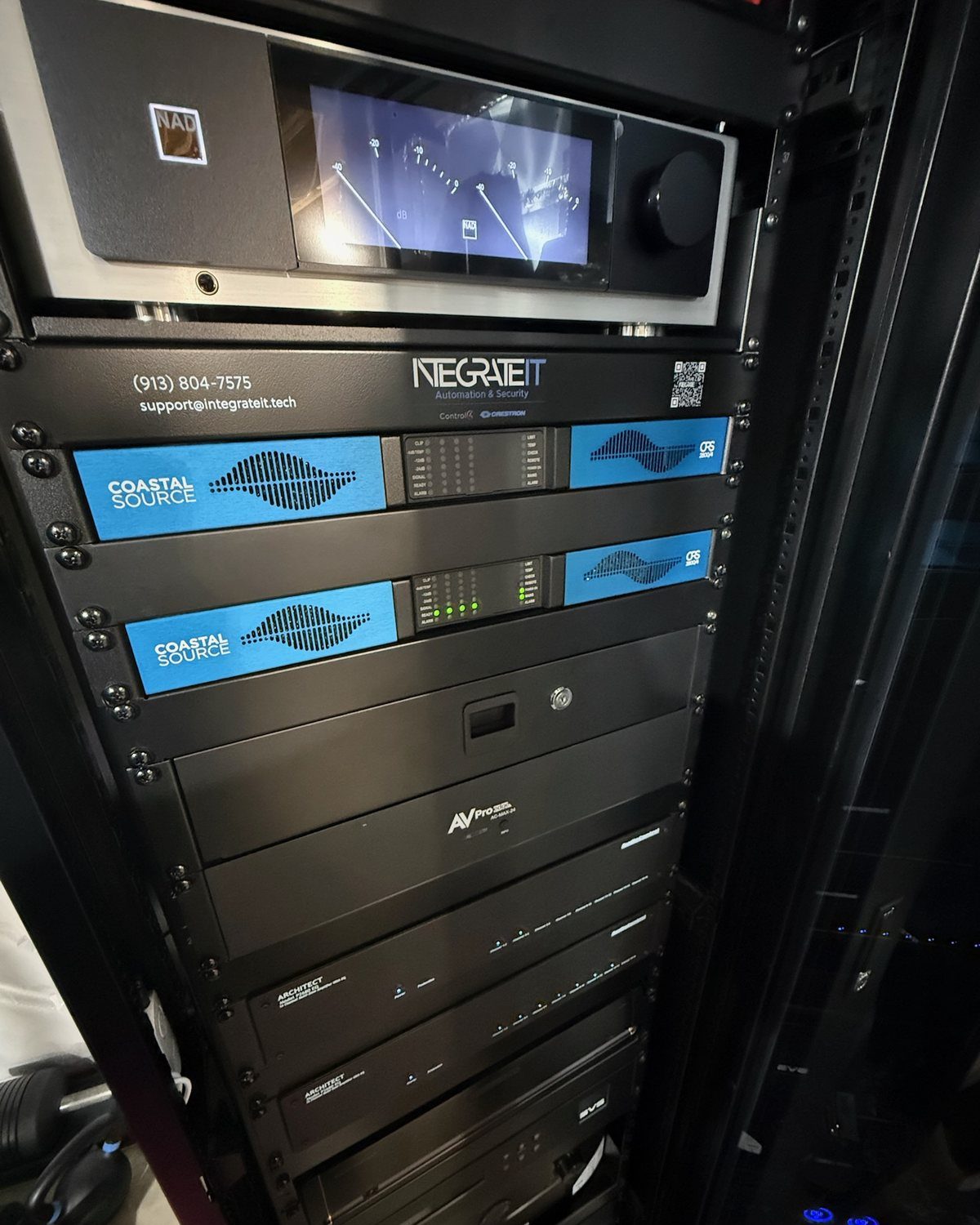
The short answer. IntegrateIT takes over smart home systems other companies installed, across Kansas City, Missouri and the Johnson County suburbs, from our showroom in Overland Park. A smart home that never worked right is almost never broken everywhere. It is broken in one or two layers, and in our experience the network is usually one of them. We fix in a fixed order: map the house first (a free on-site assessment), then the network, then power and the rack, then the programming file, then the keypads and remotes your family actually touches. New hardware comes last, and there is usually less of it than you were told. The wire in your walls almost always stays.
Some of our best work starts with a sentence like this one:
“Our home is five years old and we weren’t happy with the security service that was [i]nstalled during our build.”
Or this one, about a project another company had tried for years:
“[T]hey did in one visit what the big box couldn’t in literal years.”
The details change. The cameras drop offline, or the scenes reset every night, or there are three remotes and nobody in the house trusts any of them. The system came with the house, or with the build, or from an installer who has stopped answering the phone. But the shape of the problem is almost always the same, and so is the way out.
First: is this you?
Find your symptom. The middle column is what it usually turns out to be. It is a starting point, not a diagnosis.
| What you see | What it usually is | What we check first |
|---|---|---|
| Scenes reset overnight; shades open at random | The controller is losing devices on a crowded network | Network load, the controller’s connection, firmware |
| Cameras drop offline or miss events | Wi-Fi cameras on the same network as everything else | Wiring options, a separate camera network, the recorder |
| Keypads lag, or work “most of the time” | Network or programming, rarely the keypad itself | Network first, then the programming file |
| Nobody can change anything; the installer is gone | The programming file is stuck with a former dealer | Who holds the project file, and transferring it |
| Random failures after storms | Power: no battery backup or surge protection | The rack’s power, backup and ventilation |
| Three remotes, and the family has given up | The system was never finished for the people using it | Interface: remotes, keypad engraving, the app |
| Sound in some rooms and not others | An amplifier zone, a speaker run or a source setting | Amplifier zones and the wire runs, room by room |
If two or more rows look familiar, you are in the right place.
Step 0: we don’t touch anything yet
Every takeover starts with a free on-site assessment. One technician walks the house and maps the system as it really is:
- what hardware is installed, and where
- how it is wired, and what runs back to the rack
- what is on the network, and how the network is built
- which parts still respond, and which are failing
- what documentation, logins and programming survived
You get the map in writing, and it is yours whether or not you go further. Repairs and programming are quoted from it before any work starts. Anyone quoting an inherited system without walking it first is quoting an imaginary one.
Step 1: the network
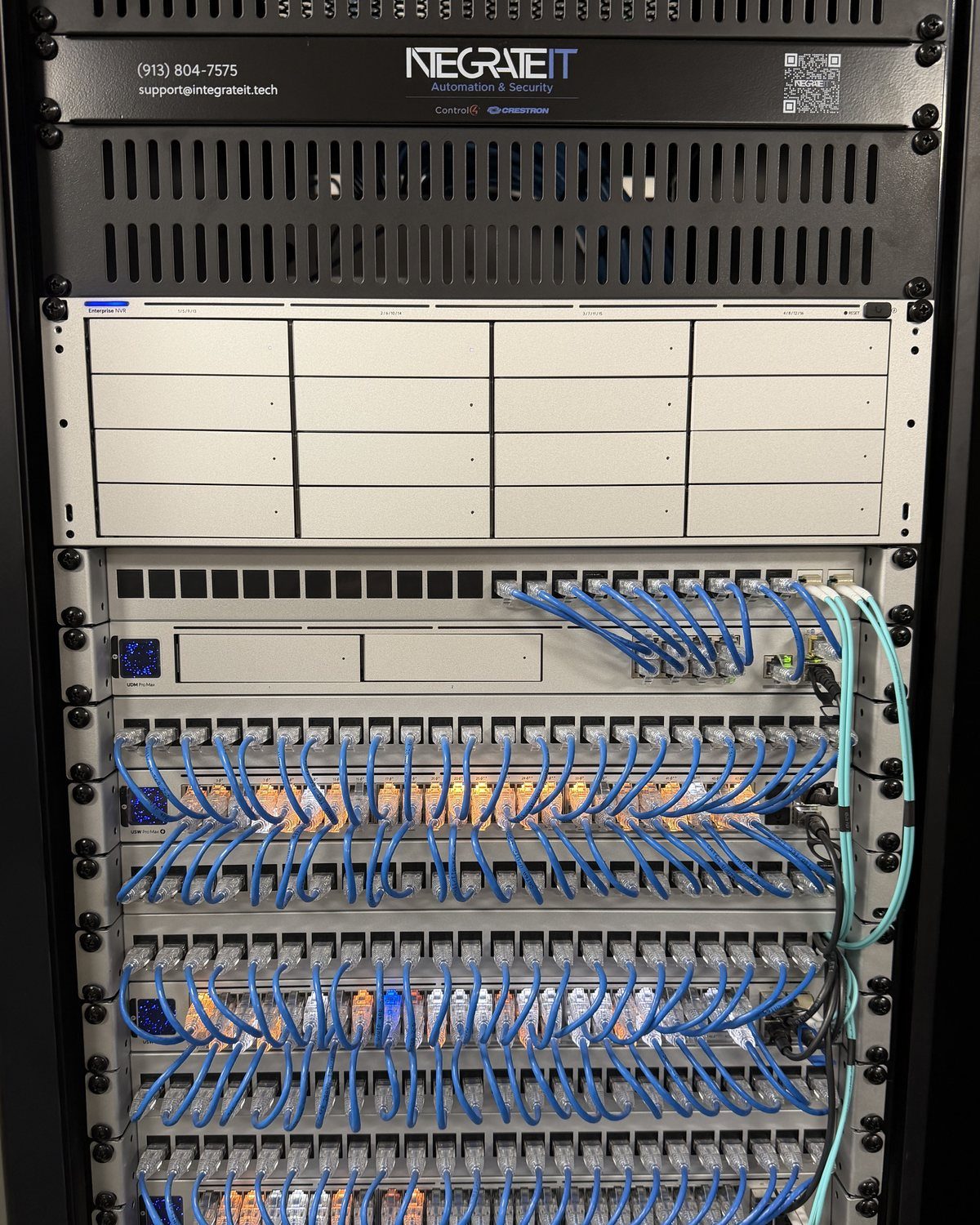
Most systems that start misbehaving in year five or year seven were sized for the device count they had on install day, on a consumer router and one access point. Then the house filled up: phones, laptops, TVs, cameras, doorbells, thermostats. The controller starts losing track of devices, and the symptoms look like a programming fault. Scenes half-run. Cameras miss the event you needed. Keypads lag.
So the network comes first: wired access points where the signal has to be reliable, a properly built rack, and separate networks for cameras and smart devices so they are not fighting your video calls. A repair made on top of a saturated network does not stay fixed. Often the network rebuild is the real project hiding behind “my automation is broken.” (Whole-home Wi-Fi, in detail.)
Step 2: power and the rack
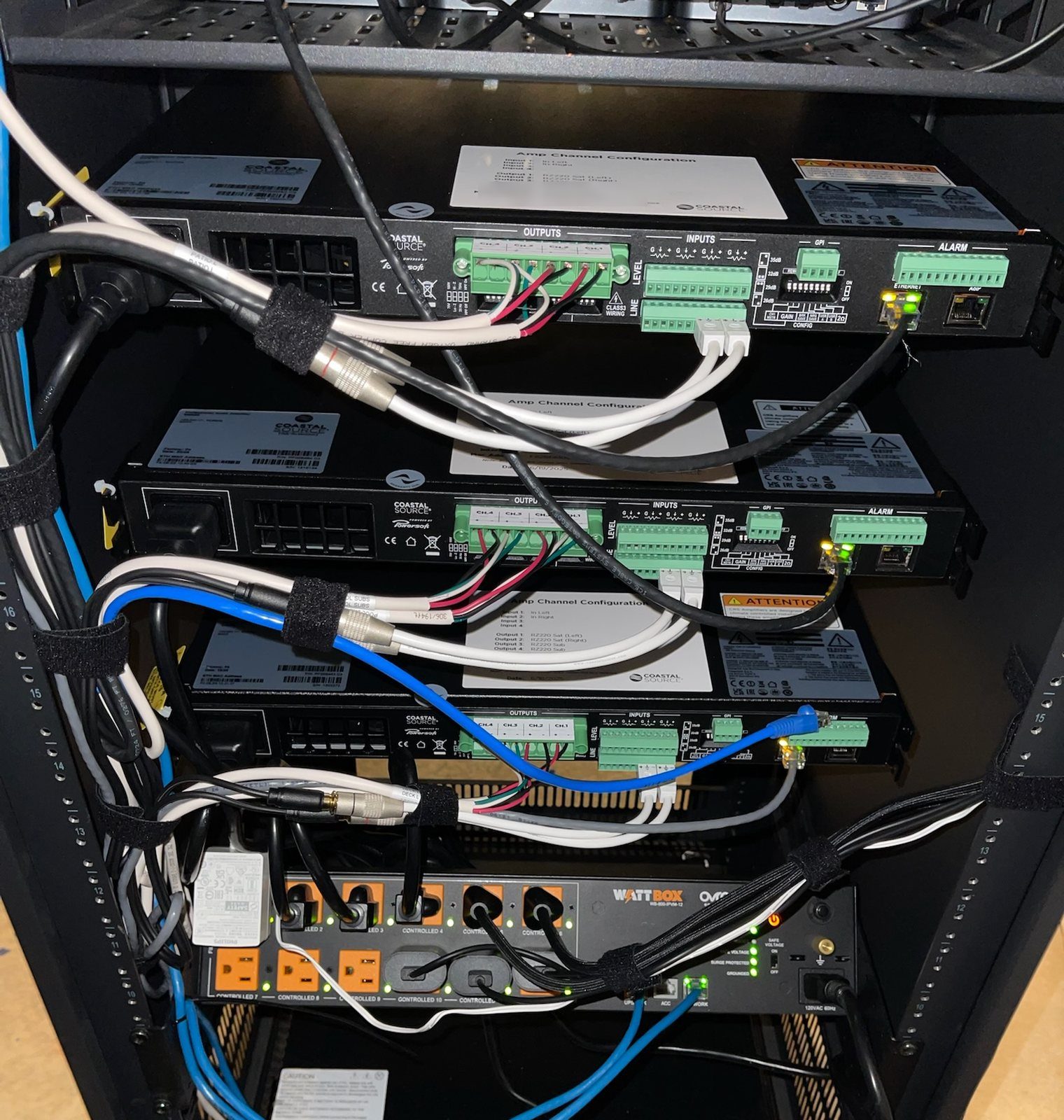
The second quiet culprit is power. A rack that runs hot, has no battery backup or sits on an unprotected circuit produces exactly the kind of random, hard-to-reproduce failure that makes a house feel haunted. One of our longtime clients put it well:
“I had a UPS go bad due to a terrible surge and Daniel had me back up and protected the SAME DAY!”
We check ventilation, battery backup, surge protection and labeling, and we leave the rack in a state the next person can read.
Step 3: the programming file
This is the step most owners have never been told about. Every scene, schedule, keypad engraving and driver in a Control4, Crestron or Lutron HomeWorks system lives in a project file. When the installer disappears, the hardware keeps running exactly as programmed, but nobody can change it. The house is frozen, not lost.
The file is usually recoverable, and the details depend on the platform:
- Control4: the project file belongs to you. The previous dealer hands it over, and any Control4 dealer can pick the project up from it. Your home was never locked to one installer.
- Crestron: Crestron stores the project files, and the previous dealer can transfer ownership to us.
- Lutron HomeWorks: like Crestron, the previous dealer can transfer the project to us.
Without the file, every future change is forensic work. With it, a change is just a change: we keep what works and rebuild what doesn’t, instead of starting over. (How a takeover runs, step by step.) Undocumented programming is also the second of the two failure modes behind most year-seven calls.
Step 4: the parts your family touches
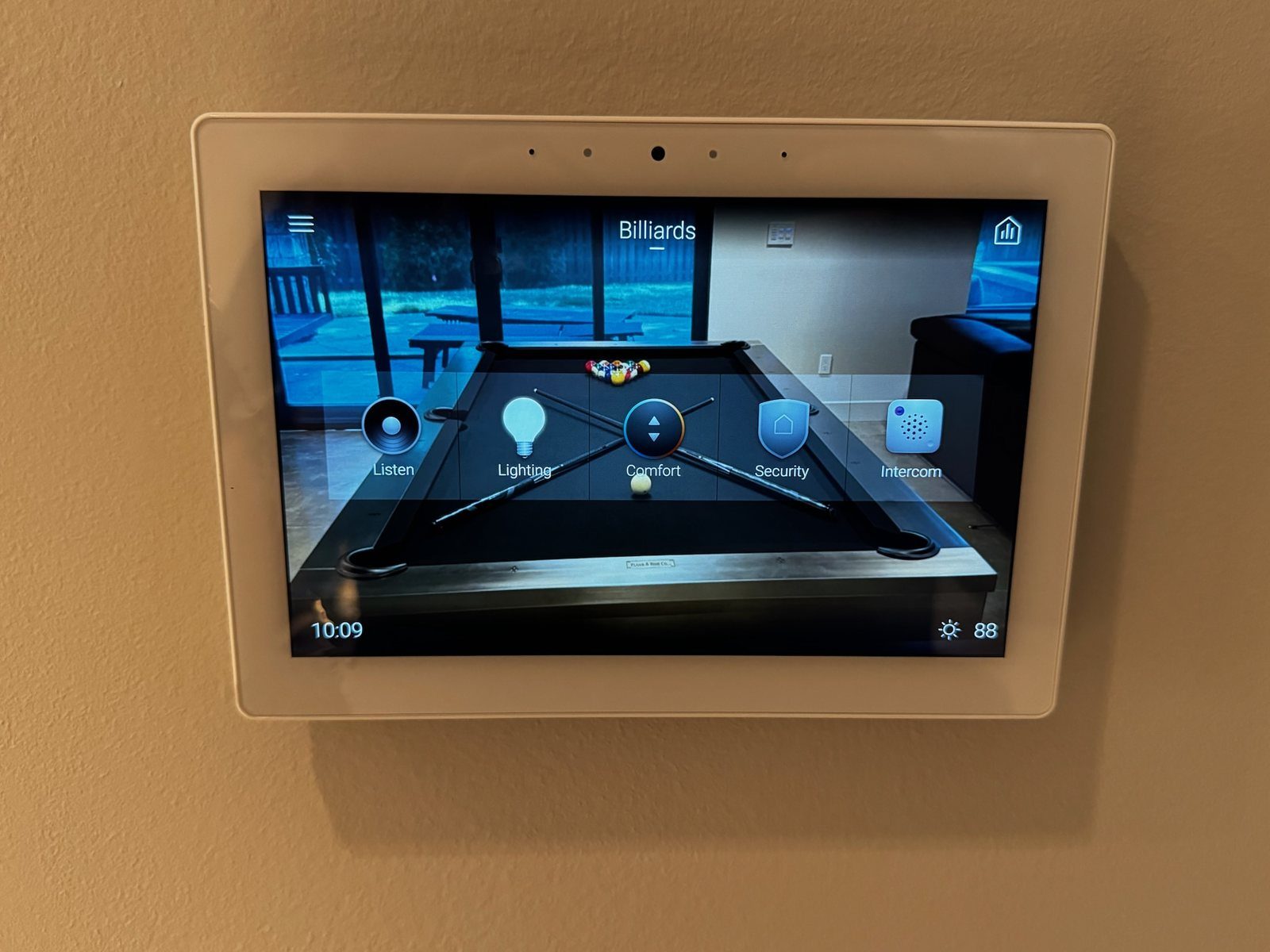
Only now do we work on the interface: keypads, remotes, touch panels and the app. A system that technically works but that nobody in the house can use has still failed. We consolidate the remotes, re-engrave keypads in the words the household actually uses, and put the three things people do every day (the lights, the music and the TV) one press away.
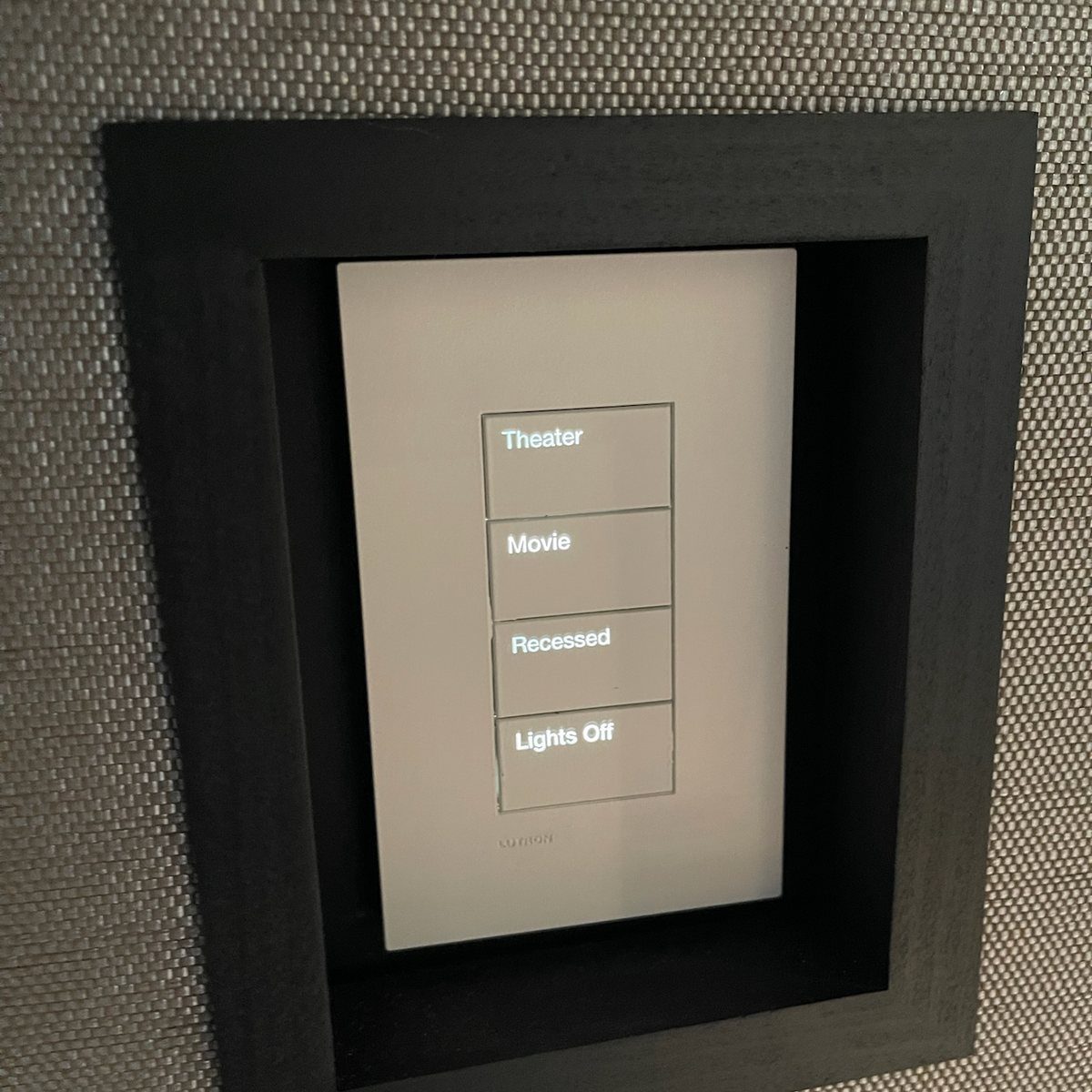
“Daniel’s attention to detail and usability resulted in a number of improvements that had not been done in the original installation.”
Step 5: only then, the hardware
New hardware comes last, and there is usually less of it than the homeowner expects.
| Part | Usually | Why |
|---|---|---|
| Structured wiring | Stays | The expensive, disruptive part of any system, and the part that ages best |
| In-wall and in-ceiling speakers | Stay | Platform-agnostic; re-terminated and re-tested, not replaced |
| Displays, projectors, screens | Stay | Re-addressed and recalibrated to the room as it is today |
| Camera bodies and their runs | Usually stay | Re-addressed and re-recorded; replaced only if they can’t do the job |
| Wall keypads | Usually stay | Re-engraved and reprogrammed in place |
| Consumer network gear | Goes | The usual casualty, and usually the real fix |
| A controller too old to update | Goes | Current software is what keeps the system supportable |
| Devices with no maintained driver | Go | Nothing should depend on a part nobody supports |
Sometimes the fix is smaller than anyone expected: an old theater can come back to life with a new receiver, a current streamer and a Control4 controller, keeping the speakers, the screen and the wire that were already there.
What a takeover costs
It depends on what the assessment finds: how much stays, whether the wire is already in the walls, and how much of the programming can be adopted rather than rebuilt. That is exactly why the assessment comes first, and why it is free. Programming is billed hourly and quoted before we start. We take small jobs, too.
What happens after
- A warranty. Our work carries a five-year workmanship warranty, running from the date of the final invoice that closes the job, exactly as on a new install. The warranty page is the whole of the terms.
- A real response. If something takes the system down (no audio, a dead theater, the network off, lights or shades unresponsive, cameras not recording), you get a next-business-day on-site visit. Anything less serious is answered the next business day and scheduled inside the week.
- The handover it never had: calibration, on-site training, and full owner’s documentation living at the house.
About IntegrateIT. We have integrated hundreds of homes across the Kansas City metro since 2021, from our Control4 Certified Showroom in Overland Park. Control4 Platinum Dealer · Crestron Elite Partner · Lutron Certified Dealer, HomeWorks Certified and Ketra Certified · HTA Certified · CEDIA member.
— Daniel Alon, co-founder, IntegrateIT. Overland Park, KS. October 2026.
Further reading
Where to go next if this article gave you the framework but you want the brand- or install-specific depth.
- Service: system takeovers · Kansas CityThe takeover in practice: moving the programming files, the free assessment, and service under our name.→
- Article: why Control4 installs fail at year sevenThe two failure modes behind most “my smart home stopped working” calls: the network and the programming.→
- Service: Control4 repairWhen the platform is right and the system just needs to work again.→
- Service: Lutron serviceLighting and shades adopted on their own.→
- Service: whole-home Wi-Fi · Kansas CityThe network layer every system sits on, and the usual real fix.→
- Our warrantyFive years of workmanship from the final invoice, and what “system down” means.→
Inherited a system that never worked?
Book a free on-site assessment. You get the map of your system in writing, whether or not you go further.
Call (913) 804-7575 Text a photo of the rack Plan a site walk
Questions
Questions we hear
The system was installed during the build and has never worked. Is it worth saving?
Usually, yes. Builder-installed systems tend to have good wiring and weak networks and programming, which are the parts that are cheapest to fix.
My installer went out of business. Can anyone change my system now?
For Control4, Crestron and Lutron HomeWorks, yes. The project file can be moved to a new dealer of record, and from there it can be changed again.
Do I have to replace everything to work with you?
No. The assessment produces a line-by-line list of what stays, what gets reused in a different role, and what has to go, before anyone writes a proposal.
I built my own smart home on a DIY platform. Can you take it over?
We don’t adopt DIY platforms themselves, but we can migrate them: keep the wire and the devices worth keeping, and move the control layer onto Control4, Crestron Home or Lutron HomeWorks.
Do you take over Savant systems?
No. IntegrateIT does not sell, install, service or take over Savant systems. The systems we adopt are the ones we hold manufacturer authorizations for: Control4, Crestron and Lutron HomeWorks.
How fast can you come out?
Call or text (913) 804-7575, or plan a site walk online at integrateit.tech/estimate/. We reply within one business day.
Begin
Tell us about your home.
We walk the rooms, learn how you live, and come back with one fixed price — not a range by email.